
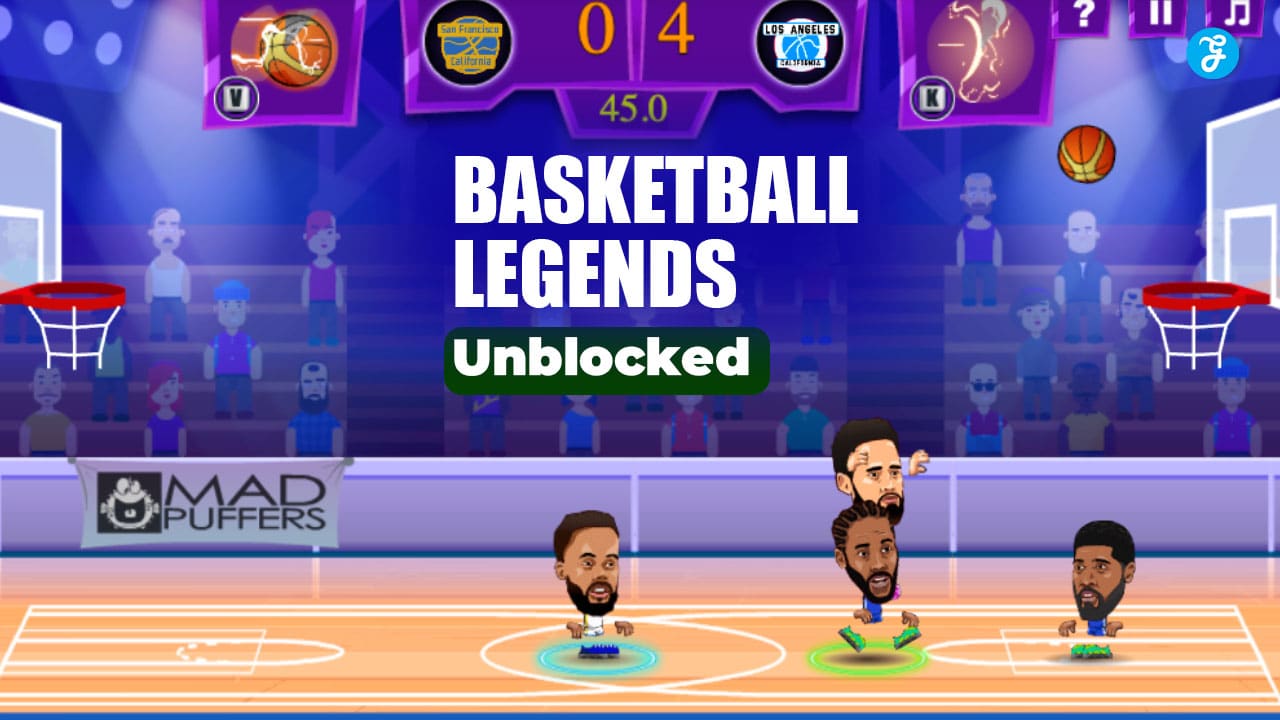
For gamers seeking a quick, competitive sports fix without the hassle of downloads, expensive console ecosystems, or subscription paywalls, finding the right online game can be a challenge. Enter Basketball Legends Unblocked, a widely popular browser-based game developed by MadPuffers that has become a staple for casual gamers worldwide.
The game allows players to step into the oversized shoes of stylized, bobble-head versions of NBA superstars like LeBron James, Giannis Antetokounmpo, James Harden, and classic legends like Larry Bird. Whether you are looking to sink three-pointers from deep or execute gravity-defying slam dunks, this arcade-style simulator delivers an accessible yet surprisingly deep competitive experience.
The “Unblocked” Phenomenon: Playing Anywhere, Anytime
The term “unblocked” in the gaming community refers to web-based games hosted on alternative servers or proxy sites—often utilizing domains like GitHub Pages or Google Sites.
Why does this matter? Many network administrators at schools, universities, and corporate offices use strict firewalls to block popular gaming hubs. Unblocked games bypass these standard web filters, allowing users to sneak in a quick match during a lunch break, a study hall, or downtime between classes. Because the game files are lightweight and run directly in the browser, they leave almost no footprint on the local machine.
How to Access the Court: No Downloads Required
One of the primary reasons for the game’s widespread popularity is its friction-free accessibility. You can jump into a match entirely for free across various gaming portals.
Where to Play:
-
Popular web gaming hosts like Poki, CrazyGames, Kizi, and Gameflare.
-
Dedicated “Unblocked Games” directories.
-
Any modern web browser (Chrome, Firefox, Safari, Edge).
The Technology Behind the Game: It is important to note that while classic browser games relied heavily on Adobe Flash, that technology was permanently retired in 2020. Basketball Legends is built on modern, lightweight HTML5. This means the game runs smoothly and securely right in your browser tab across desktops, laptops, and even some tablets, without requiring any third-party plugins or risky downloads.
Steps to Tip-Off: Getting started takes only a few seconds:
-
Navigate to a reputable HTML5 browser-game website.
-
Search for “Basketball Legends” in the site’s directory.
-
Click the game icon to initiate the loading screen.
-
Select “Play” from the main menu.
-
Choose your preferred mode: Solo (against the AI) or 2-Player (against a friend sharing your keyboard).
-
Select your game type: 1v1, 2v2, or Co-op.
-
Pick your team and player avatar.
-
Use your keyboard (WASD keys for Player 1, Arrow keys for Player 2) to move, jump, and shoot.
Features That Keep Players Coming Back
Basketball Legends distinguishes itself from other casual sports simulators through its blend of foundational basketball mechanics, humorous art style, and over-the-top arcade action.
Solo Tournaments and Co-op Gameplay If you don’t have a friend nearby, the game offers a robust Solo Tournament mode where you can battle through a bracket of increasingly difficult AI opponents to claim the championship trophy. Additionally, the game isn’t just limited to 1v1 matchups; it features a 2v2 mode where you can either team up with a friend against the AI or control two players simultaneously for a more chaotic, strategic experience.
Competitive Local Multiplayer The true heart of the game is its local multiplayer. By sharing a single keyboard, you can challenge a friend to a head-to-head match. This mode transforms a simple browser game into an intense, room-filling competition, testing your reaction times, trash-talking abilities, and strategic use of the virtual court.
Arcade Physics and Game-Changing Power-Ups While the game features standard basketball moves, it elevates the excitement with special abilities. As you play, your “Super” meter fills up, unlocking temporary, character-specific power-ups that drastically alter the momentum of the game. Your player might suddenly gain superspeed, launch an unblockable fireball shot, or freeze the opponent in their tracks. Timing these power-ups correctly is often the difference between a blowout and a buzzer-beating victory.
Mastering the Game: Advanced Strategies from the Virtual Hardwood
While the controls are simple to pick up, consistently beating your friends or the hardest AI difficulty requires practice and tactical awareness on both sides of the ball.
Offense: Creating Space and Sinking Shots
-
Prioritize Open Space: Just like in real basketball, shooting a heavily contested shot rarely ends well. Use your dash mechanics to create separation. If the defender sags off, utilize the three-point shot for maximum efficiency.
-
Master the Alley-Oop and Dunk: When driving close to the basket, dunks are high-percentage shots. Learning the timing for an alley-oop or a quick slam dunk ensures guaranteed points when you break past the defense.
-
Pump Fakes: Tapping the shoot button lightly can trigger a pump fake, causing an overeager human opponent to jump prematurely, giving you a wide-open lane to the basket.
Defense: The Art of the Steal and Block
-
Aggressive Stealing: Don’t just wait for the opponent to shoot. Use the steal button to swipe the ball when they get too close. However, spamming this move can leave you out of position.
-
Timing Your Blocks: The block is your most powerful defensive tool. Instead of jumping immediately when the opponent enters your half, watch their character animation. Jumping at the exact moment they release the ball will result in a satisfying block, often leading to a fast-break opportunity.
By combining these offensive and defensive strategies, and studying the meta through community tutorial videos, you can quickly elevate your gameplay from a casual shooter to a formidable virtual court legend.